

Skip to content

Reports & Analytics

PhishSpot provides several ways to analyze your campaign results and track your organization’s security posture over time.

Open a campaign and choose Filter and view report. The filters work like recipient selection: choose several departments, job titles, locations, risk levels or contact groups. A person matches any selected value within a category and must match every category you use. Clear category removes that category’s selections; Clear filters resets the whole selection.

Report filters only search people targeted by the selected campaign. They update the recipient table, totals and charts together. Exports use the same selection, including replies and quiz results. Departments, titles, locations and groups reflect the contact’s current details.

Use Group by to split the report by department, job title, location or contact group. Each section has its own statistics and recipient list. Contacts without a value appear under Unassigned. Someone in several contact groups appears in each relevant section, while their overall result is counted once.

Choose Download report, select a template and file format, then download. Available formats are PDF, DOCX, Markdown, RTF and CSV. PDF, DOCX and RTF include charts; Markdown includes numerical tables, and CSV contains participation rows for spreadsheet analysis.

The Clean template omits report logos. Cyberbezpieczny Samorząd retains the existing branding and is selected by default. Additional templates may be available for your organization.

For an anonymized download, select the anonymous report option. Recipient names and email addresses are replaced with fictional identities, used consistently throughout the document. Reply transcripts, quiz answers and email/landing-page previews are omitted from this version.

Before the recipient list, the report shows a pie chart with percentages and a bar chart with counts. Each successful delivery receives one outcome, with the following precedence:

  1. Provided real data.
  2. Submitted the form.
  3. Clicked the link.
  4. Recognized the phish.
  5. Opened the email only.
  6. No recorded reaction.

For example, someone who clicked and then submitted the form is counted under Submitted the form, rather than in both categories. Training completion and replies are shown separately.

Percentages use successful deliveries as the denominator. Failed and unsent deliveries appear separately. Sending the same scenario to the same person again does not add another participation. The campaign details include the email subject and landing domain; separate template, landing-page and course data sections have been removed.

On the campaigns list, choose Umbrella campaigns to combine selected scenarios for reporting. Create a named umbrella campaign, select its scenarios and save. You can edit its name and membership later, or delete the umbrella while keeping the scenarios and their results.

Every scenario in an umbrella must use exactly the same post-click action and settings. A scenario can belong to one umbrella at a time. To change its action or move it to another umbrella, detach it first. Any user who can manage campaigns can manage these collections.

An umbrella report lists scenarios in creation order with a number beside each. The recipient table includes a Scenario column with that number. Someone who received two scenarios has two participation rows. Each row contributes once to the overall statistics.

The report link on the campaigns list covers all campaigns in the account. Both account and umbrella reports support the same filters, grouping and export choices as an individual campaign report.

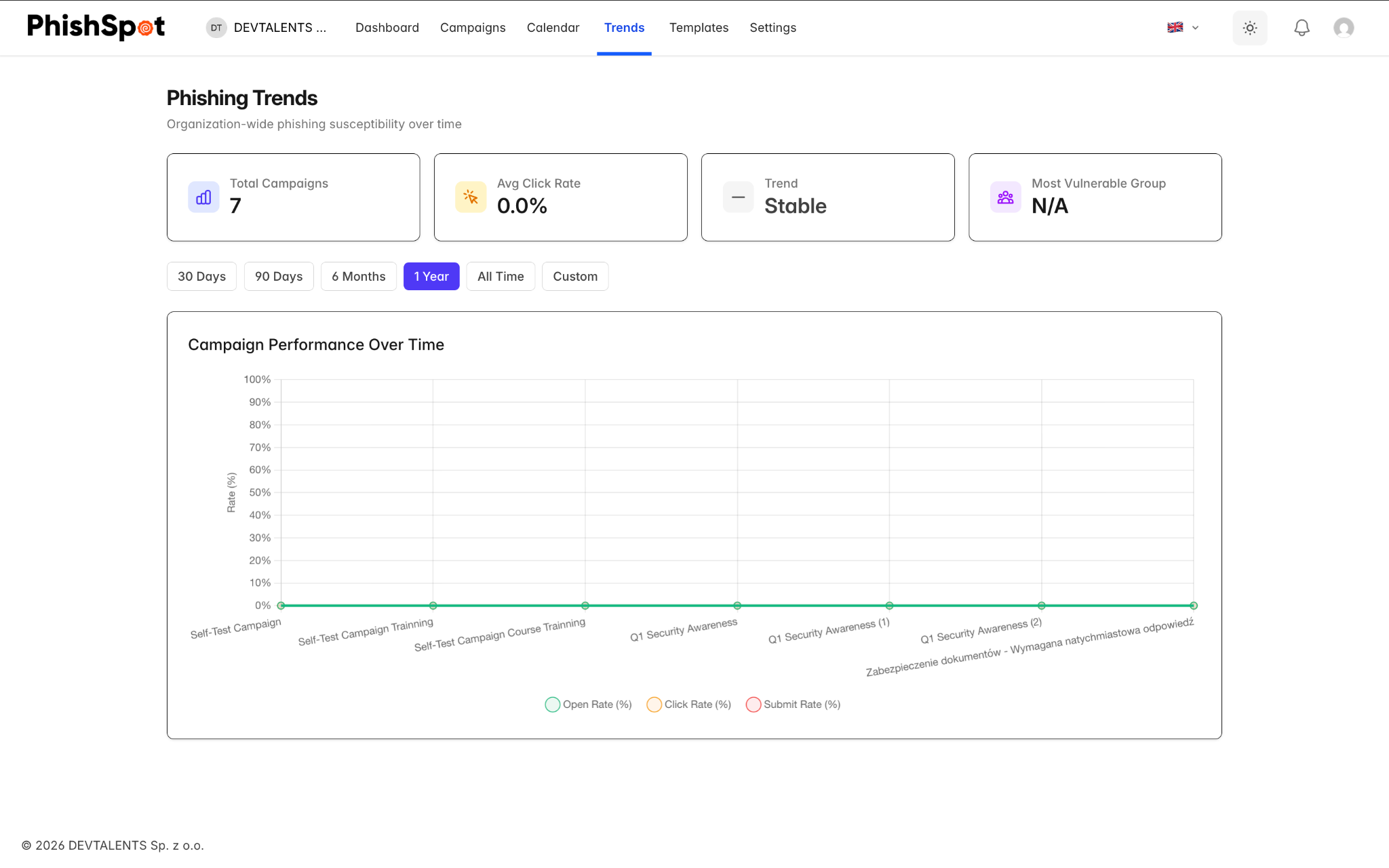
Navigate to Trends from the sidebar to access the trend dashboard. This view shows historical performance data across all your campaigns with date range filtering options: 30 days, 90 days, 6 months, 1 year, all time, or a custom date range.

The trend dashboard helps you answer questions like: Are employees getting better at recognizing phishing emails over time? Which departments need additional training? Is the click rate decreasing campaign over campaign?
A click is recorded when the campaign page becomes visible in a browser and confirms the visit, or when its form is submitted. Simply fetching a link no longer counts as a click. This reduces false results from automatic link checks, though tools that run a full browser can still produce a visit. Blocking images can prevent an email-open measurement; blocking scripts can prevent a visit confirmation. A missing open measurement therefore does not prove that the message was unread.

Resetting a recipient invalidates the tracking links from their previous send. Opening an old message after a reset does not recreate its results or update a new send.

Within any campaign dashboard, clicking on a recipient opens a detailed timeline panel showing every tracked event for that person: when the email was sent, when it was opened, when the link was clicked, when the landing page was viewed, whether data was submitted, and whether the training course was started or completed.

11.5 Previewing the email each recipient received

Section titled “11.5 Previewing the email each recipient received”

Every row in a campaign’s Recipients table has a small magnifier-on-envelope icon next to the recipient’s email address. Click it to open a modal showing the exact email that contact received — with every template variable ({{first_name}}, {{company}}, {{position}} …) substituted with that contact’s actual values, the actual landing-page URL embedded, the actual From: address used. Not a generic preview: the rendered mail for that specific recipient.

The modal has a desktop / mobile viewport toggle at the top — flip between the two to see how the email looked on a 1920px-wide Outlook client vs. an iPhone Mail rendering. Useful during stakeholder review of a finished campaign (“show me exactly what Anna saw on her phone”) and during incident investigations (“did the link in this specific delivery target the right domain?”).

The same preview is also available from a contact’s individual deliverables view — open any contact’s detail page and the deliverable rows have the same magnifier. Two perspectives on the same modal: per-campaign (every recipient on one campaign) and per-contact (every campaign one person received).