

Domains
PhishSpot uses two types of domains: Secured Domains (for sending emails) and Platform Domains (for hosting landing pages).
9.1 Secured Domains (Sender Verification)
Section titled “9.1 Secured Domains (Sender Verification)”Secured domains verify that you own the email domains you send phishing simulations from. This ensures emails are delivered reliably and not flagged as spam.
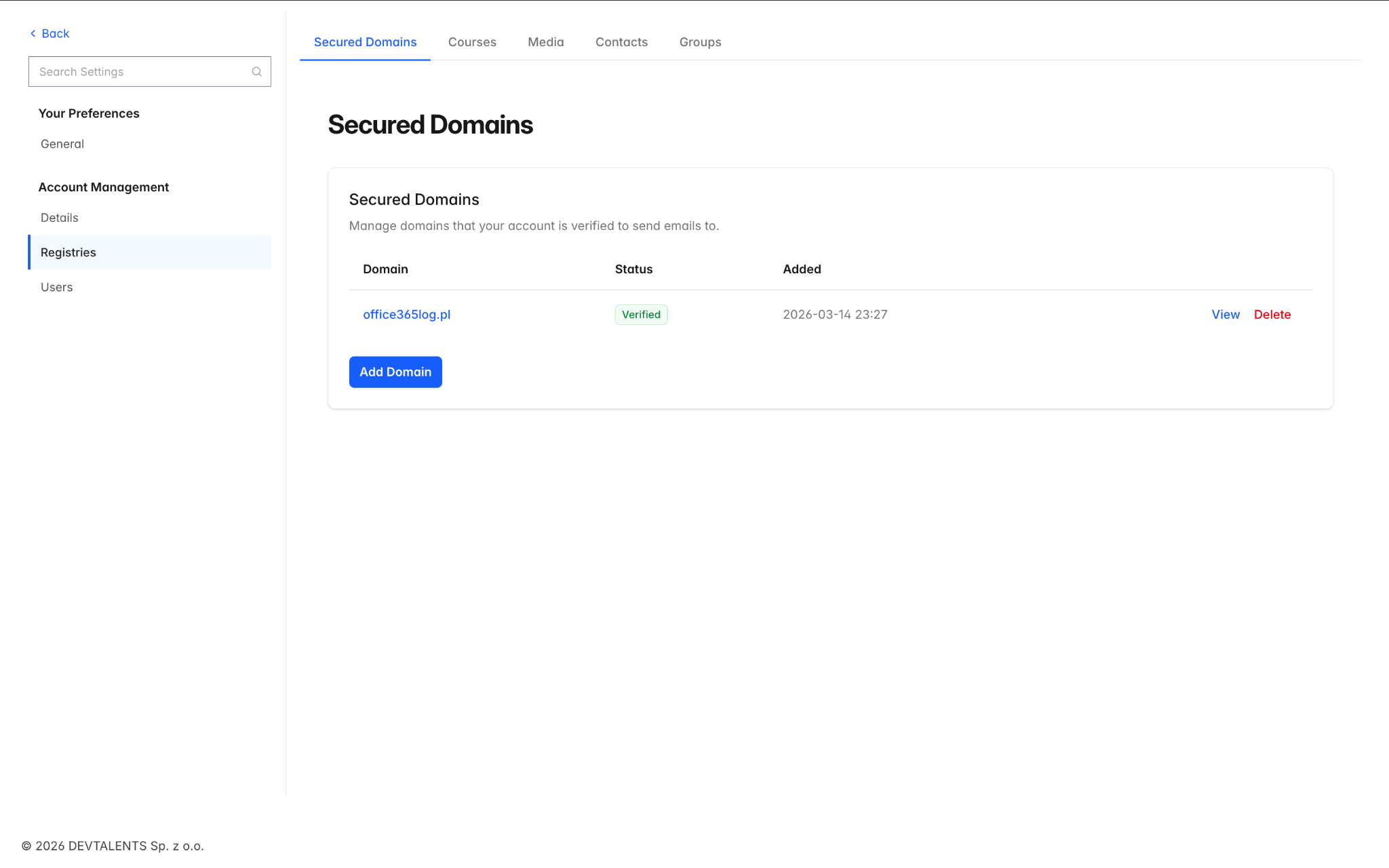
Navigate to Settings → Secured Domains. The list shows each domain with its verification status:
| Status | Meaning |
|---|---|
| Unverified | Domain has been added but verification has not been completed |
| Pending | Verification is in progress (DNS records added, awaiting propagation) |
| Verified | Domain ownership confirmed — ready for campaign use |
| Failed | Verification attempt failed — check your DNS records |
Verifying a Domain
Section titled “Verifying a Domain”To add and verify a new secured domain:
-
Click New Domain and enter the domain name (e.g., yourcompany.com).
-
PhishSpot will provide DNS records (CNAME or TXT) that you need to add to your domain’s DNS settings.
-
After adding the DNS records, click Verify DNS to check if the records have propagated.
-
Alternatively, you can verify via email — PhishSpot sends a verification code to a standard admin address on the domain.
9.2 Platform Domains (Landing Page URLs)
Section titled “9.2 Platform Domains (Landing Page URLs)”Platform domains are the URLs used for your phishing landing pages. When a recipient clicks the link in a phishing email, they are taken to a page hosted on one of these domains.
Navigate to Settings → Platform Domains. The list shows:
| Column | Description |
|---|---|
| Name | Domain display name |
| Public | Whether this domain is shared across accounts or private to yours |
| Whether the domain can also be used for sending emails | |
| Expires On | Expiration date (or Never if permanent) |
| Campaigns | Number of campaigns currently using this domain |
9.3 Custom Sending Domains (Bring Your Own Domain)
Section titled “9.3 Custom Sending Domains (Bring Your Own Domain)”Custom domains let you send campaigns from a domain you own, registered at any registrar. Unlike Secured Domains (which only verify that you own an address you send to) and Platform Domains (managed by the platform admin), a custom domain is fully managed for you once you delegate it: you point its nameservers to us, and we create every DNS record automatically.
Navigate to Settings → Custom Domains.
Buying a dedicated domain
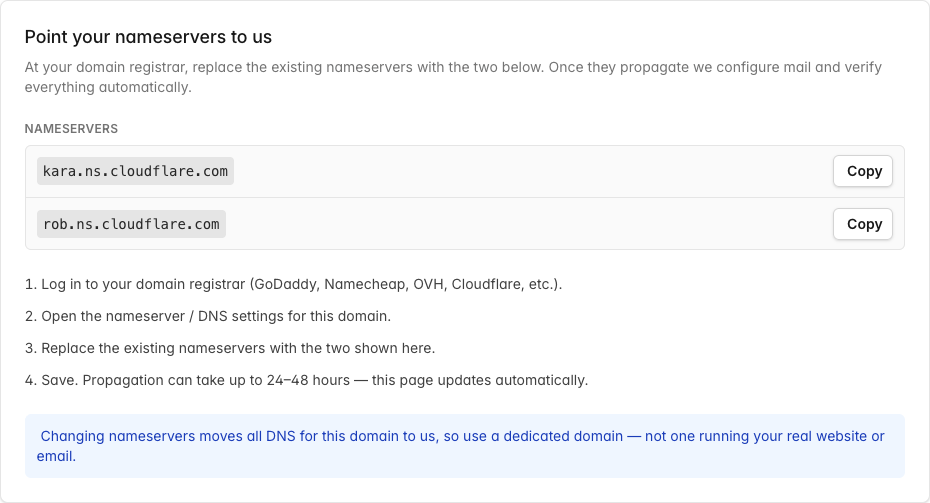
Section titled “Buying a dedicated domain”Use a dedicated domain bought just for simulations — not a domain you use for your real website or email. Pointing the nameservers to us moves all DNS for that domain to us, so any existing website or mail on it would stop working.
Getting your nameservers
Section titled “Getting your nameservers”- Go to Settings → Custom Domains → Add domain and enter the domain you own.
- The setup page shows the two nameservers to use, each with a copy button.
Setting nameservers at your registrar
Section titled “Setting nameservers at your registrar”- Log in to your domain registrar (GoDaddy, Namecheap, OVH, Cloudflare, etc.).
- Open the nameserver / DNS settings for the domain.
- Replace the existing nameservers with the two shown on the setup page.
- Save. Propagation can take up to 24–48 hours — the page updates itself as it progresses.

What we verify
Section titled “What we verify”A live progress bar walks through three stages — Delegation → Mail config → Sending-ready. You can also press Check status now at any time. The status badge means:
| Status | Meaning |
|---|---|
| Waiting for nameservers | Delegation not detected yet |
| Configuring mail | Delegation found; we’re adding and verifying the sending records (SPF, DKIM, MX, Return-Path) |
| Sending-ready | Verified — the domain now appears in the sender list when you create a campaign |
| Needs attention | The domain was working but later broke; blocked for new campaigns |
| Setup failed | Setup couldn’t complete — re-check your nameservers and try again |
Healthy vs. blocked
Section titled “Healthy vs. blocked”Because a custom domain isn’t under our control, we keep checking it. If the registration expires, the nameservers change away from us, or the mail records are removed, the domain is marked Needs attention and blocked from starting new campaigns. Campaigns already running on it keep delivering, and the account admins receive an email explaining what to fix.
Troubleshooting
Section titled “Troubleshooting”- Stuck on “Waiting for nameservers” — confirm both nameservers are set exactly as shown at your registrar; propagation can take up to 48 hours.
- “Needs attention” after it was working — open the domain to see the specific reason (expired / nameservers changed / mail records missing), fix it, then click Check status now.
- Removing a domain — deleting a custom domain tears down its DNS and mail configuration. You can’t delete one while it has an active campaign; pause or finish those first.